 By Raji Shah · Published 2026-10-19
WHOOP Strain rates effort on a 0 to 21 scale, and some runners find it lower than they expect: a hard run that barely moves the number, Strain that stalls mid-workout, or scores that dropped after an upgrade from the 4.0 or after WHOOP's July 2026 update. Some of that is how the scale works, some is a setting worth checking, and some is heart-rate data worth fixing. Here is how to tell which, and why a Garmin watch rates the same run differently.
Quick answer: check your max heart rate first, because Strain is scored against it and zone edits don't change Strain. Make sure the band is snug and reading your real heart rate, since bad readings move Strain both ways. If Strain freezes mid-run, keep the WHOOP app open with Bluetooth on and pull to refresh. WHOOP's member average for an hour of running is about 12, not near 21: the scale is logarithmic, so each point takes more effort than the last, and fitter runners score lower for the same run. If you moved from a 4.0, WHOOP's staff say Strain can take 2 to 4 weeks to adjust, though one owner says theirs was still lower after four months. A Garmin watch measures load differently, so the two won't match.
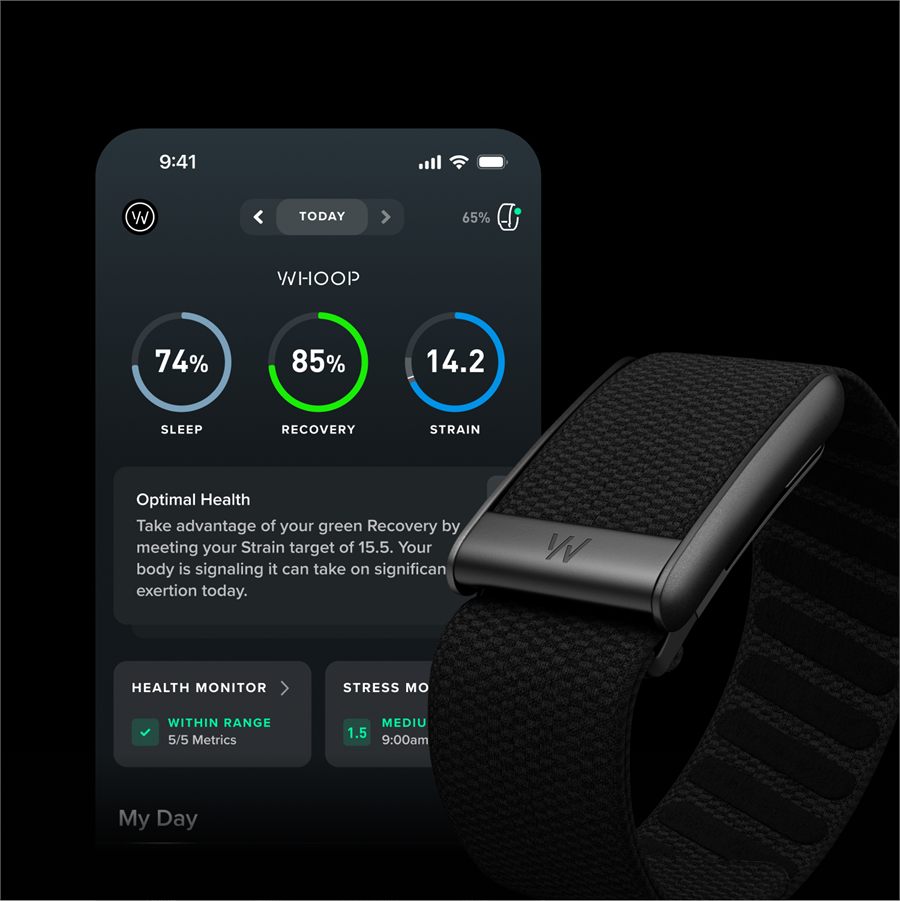
How WHOOP Strain works
WHOOP describes Strain as your cardiovascular and muscular load on a 0 to 21 scale adapted from the Borg scale of perceived exertion. It scores each activity and your whole day, and labels 0 to 9 Light, 10 to 13 Moderate, 14 to 17 High, and 18 to 21 All out. WHOOP's benchmarks: an hour of walking averages about 6.5, the average member's day about 11, an hour of running about 12, and one marathon might take Day Strain to 20.4.
A few rules explain most surprises:
- It is logarithmic. Each point is harder to earn than the last, and activity Strains don't add up to Day Strain. In WHOOP's example, a second marathon the same day lifts Day Strain only from 20.4 to 20.6.
- It is personal. Fitter people score lower for the same work, and the same run can score differently on different days. Strain builds faster on low-Recovery days: a usual 9.5 might be 10.5 in the red.
- It runs on heart rate against your max. WHOOP's staff say Strain is "mostly driven by how high and how long your heart rate stays elevated," and that its cardiovascular part is scored against your max heart rate.
- A run's Strain is effectively cardiovascular. WHOOP adds estimated muscular load for lifting, HIIT, and a growing list of other activities, but running is not on its April 2026 list, so a run's Strain comes from heart rate.
- Day Strain counts everything. WHOOP's forum admin says Day Strain comes from your heart rate all day, whether or not you log an activity; deleting an auto-detected activity removes its label, not its Strain.
Why Strain stays low or stalls on a run
WHOOP's staff and documentation point to these causes. Check them in order, but if Strain doesn't move at all during a run, start with app lag:
- Max heart rate set too high. If WHOOP thinks your max is higher than it is, every run looks easier. WHOOP starts from an age-based formula and raises the value when it detects a new peak that passes its data-quality checks; it hasn't said whether a false spike from a band misread can count. If you know a tested max, enter it under More > App Settings > Activity Settings > Heart Rate Settings on iPhone, or More > Activity Settings > Heart Rate Settings on Android. Editing your zones won't help: WHOOP's FAQ says zone settings don't change how Strain is calculated, while max heart rate does.
- Effort that isn't sustained. Strain builds on heart rate that stays up, so long rests and stop-start efforts can leave a session scoring lower than expected.
- The scale itself. Going from 16 to 17 takes far more work than going from 4 to 5, so a long run late in a busy day lifts Day Strain less than the same run would on a quiet day.
- Readings that are too low. If the band reads your heart rate low, the run scores low; a loose or badly placed band can misread in either direction. Tighten it, clean the sensor, and see our guide to WHOOP heart rate on runs.
- App lag. WHOOP's Strain Target is meant to show Strain building live during an activity. If it doesn't update, keep the WHOOP app open with Bluetooth on, lift your phone's power-saving limits for it, pull to refresh, and restart the phone and band.
- A new band. First scores take a few days, and WHOOP's staff say baselines for sleep, Strain, and Recovery take about three weeks to settle.
- The band wasn't on. WHOOP's scores come from its own sensor, so wear the band on runs you record on a watch, including runs WHOOP imports from Strava; WHOOP hasn't said what an imported run scores when the band was off.
Why the 5.0 and MG can score lower than the 4.0
Owners who upgraded from a 4.0 often report lower Strain for the same routine. In one WHOOP forum thread, five owners report lower Strain on the 5.0 or MG, one by 3 to 4 points a day for identical workouts. In another, an owner's day with a 6-mile hike, 45 minutes of lifting, and about 25,000 steps scored 8, where the owner feels the 4.0 would have scored much closer to their previous average of 14 to 16. They also say nothing that day raised their heart rate much. WHOOP's staff say the 5.0's improved motion filtering can cut brief Strain spikes the older band counted, and that Strain can take up to 2 to 4 weeks to adjust after an upgrade. In that second thread, two owners say their Strain stayed lower past that window, one for four months before going back to a 4.0 after losing the 5.0. That owner now calls the 4.0 "overly sensitive" and says the 5.0 was "not giving enough credit."
Strain after WHOOP's July 2026 update
WHOOP's July heart-rate update came with a warning: because Strain is calculated from heart rate, it "may look different," higher for some activities and lower for others, which WHOOP calls more accurate data rather than an error. At least four owners blame it for sharp drops: walks of almost 4 miles that sometimes score 0, an all-out 8-mile run showing mostly Zone 2, and one owner's daily Strain falling to about half its usual 12 to 15, a drop that persisted on a replacement MG and on the Bicep Band. That owner says WHOOP support told them nothing was wrong and pointed them to WHOOP's page on the update. Owner reports can't show which number is right. One independent test after the July rollout, with the band on the upper arm, found it within about 1 bpm of a chest strap on average across an interval run. If your runs dropped after July, compare a few against a chest strap on your watch before changing any settings.
Why your Garmin disagrees
WHOOP Strain and Garmin's training metrics measure different things over different time windows, often from different sensors:
| WHOOP Strain | Garmin Training Effect and load | |
|---|---|---|
| What it measures | Heart rate against your max, plus estimated muscular load for lifting, HIIT, and other listed activities | EPOC (excess post-exercise oxygen consumption), estimated from heart rate |
| Scale | 0 to 21 for each activity and each day | Training Effect from 0 to 5 per activity, plus an exercise load number |
| Time window | One day | Acute load over 7 days, with each activity fading over 10 days; load focus over 4 weeks |
| Adds up? | No; activity Strains don't sum | Yes; exercise loads add into acute load |
| Fitness adjustment | Fitter people score lower; builds faster on low-Recovery days | Training Effect accounts for fitness, so the same EPOC earns less as you get fitter |
| What it counts | Your heart rate all day | Activities recorded with heart rate |
| Heart-rate source | Only the WHOOP band | The watch's sensor, a paired chest strap, or WHOOP's broadcast heart rate |
So the same run can sit in WHOOP's Moderate band and earn an Improving Training Effect (3 on Garmin's 0 to 5 scale). A band over-read moves only WHOOP's number unless you broadcast WHOOP's heart rate to the watch, which then scores the run from the band's live feed. Both companies say zone settings don't change these scores but a wrong max heart rate can skew them, so if you know a tested max, enter it in both apps. Garmin also warns that recording only some workouts makes its load read low. If you wear both, our guide to wearing WHOOP and a Garmin together covers which number to use for what, and our WHOOP vs Garmin guide covers the bigger choice between the two.
Bottom line
Low Strain on runs can come from a max heart rate set too high, effort that isn't sustained, or a band that reads low, on a scale that makes each point harder than the last. A move from a 4.0 or WHOOP's July 2026 update can lower it too. Check your max heart rate, fix the fit, and judge Strain against your own history rather than Garmin's load numbers. For the wider case for and against the membership, see our WHOOP review for runners.
FAQ
Why is my WHOOP Strain not increasing during a workout?
Strain needs heart rate that stays elevated, so stop-start efforts build it slowly. If it doesn't move at all, keep the WHOOP app open with Bluetooth on, pull to refresh, and check that the band is snug. Then check your max heart rate.
Does changing heart-rate zones change WHOOP Strain?
No. WHOOP's FAQ says zone settings don't change how Strain is calculated. Changing your max heart rate does, and it changes calorie estimates too.
What is a normal Strain for a run?
WHOOP puts the member average for an hour of running at about 12, in its Moderate band of 10 to 13. Strain is personal, so compare runs against your own history.
Why is WHOOP 5.0 Strain lower than 4.0?
WHOOP's staff say the 5.0's improved motion filtering can cut brief Strain spikes that earlier bands counted, and that Strain can take up to 2 to 4 weeks to adjust after an upgrade. In one forum thread, five upgraders report lower Strain, one by 3 to 4 points a day in their first week on an MG; in another thread, an owner says their Strain was still lower after four months.
Is WHOOP still calibrating my Strain?
Only in the first few weeks on a new band. First scores take a few days, WHOOP's staff say baselines for sleep, Strain, and Recovery take about three weeks to settle, and Strain can take 2 to 4 weeks to adjust after an upgrade. After that, check your max heart rate and the band's fit instead.
Why doesn't WHOOP Strain match Garmin's training load?
They measure different things. Strain is a daily 0 to 21 score from the band's heart rate against your max; Garmin's load is EPOC from recorded workouts, rolled up over 7 days. A run can sit in WHOOP's Moderate band and earn an Improving Training Effect on Garmin.